
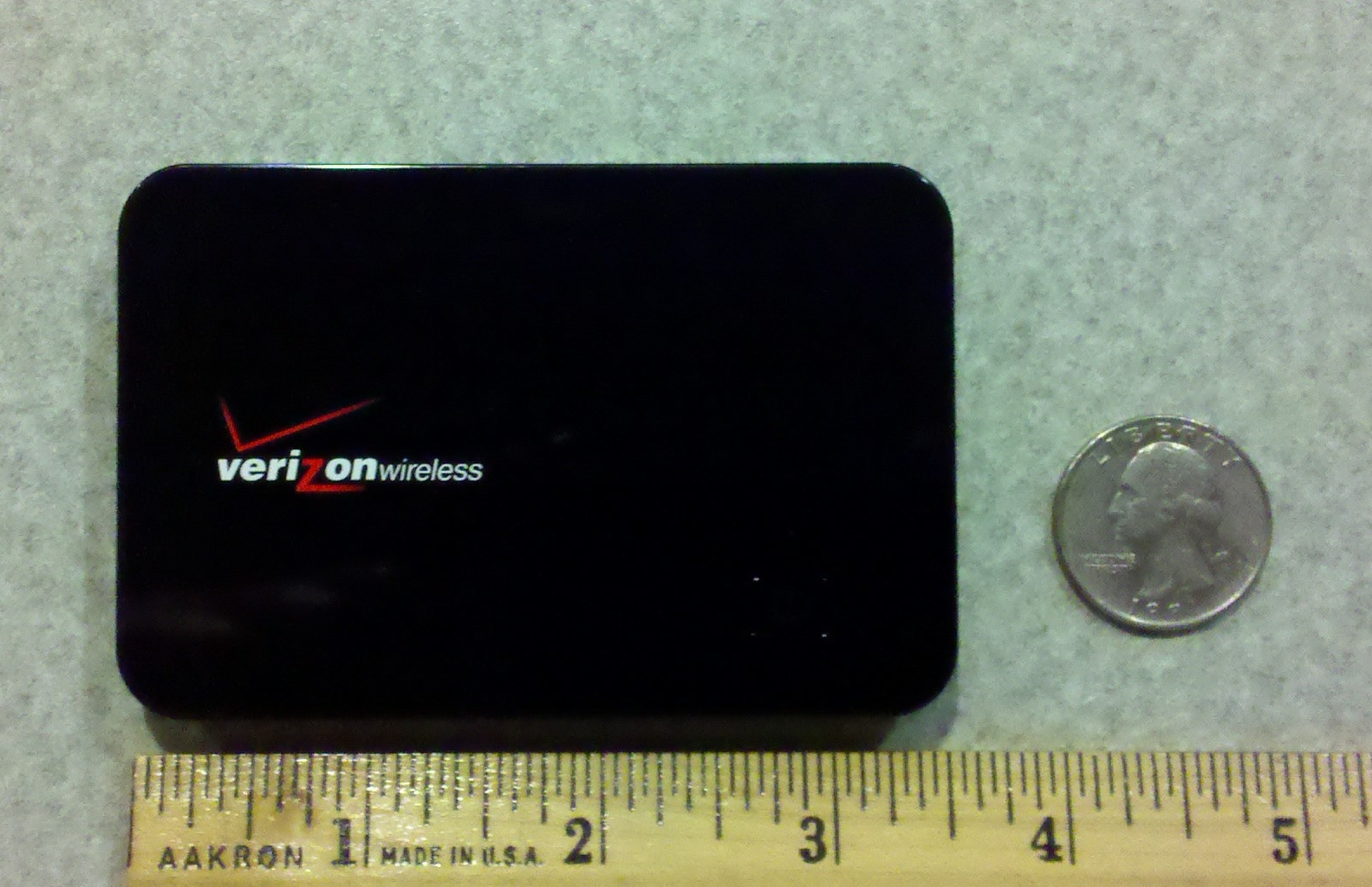
MiFi Picture
I went off-campus for a few days last week to another academic institution. One of the problems with going offsite is that I still have to keep in contact with the mothership via the internet. While it’s possible to navigate the red tape and try to secure internet access or to pay for hotel wifi and the like, it always ends up being a hassle. Not too long ago, I managed to get ahold of a Verizon MiFi 2200 device (pictured above) so that I could remain productive from afar.
The MiFi 2200 is basically a mini cell phone sans the phone functionality that serves as a portable wifi hotspot. The device can either be tethered to a laptop via a USB cable, or it can run stand-alone (no USB cable) and presents itself as a wifi hotspot that will allow up to 5 devices to connect to it via a WPA-2 encrypted session and access the internet. It has an internal battery and is supposed to function for up to 4 hours as a hotspot using it. As the picture above shows, it’s about the size of a credit card, and is about 1/4″ thick, which makes it easy to pack or carry about in your shirt pocket.
The beauty of the device is that rather than having to pay for a single-purpose USB modem that requires your computer to consume and/or serve up the internet, you get a multi-purpose device that can provide internet access for your laptop and up to 4 other devices simultaneously. This means you can share the internet connection with other wifi clients even when your laptop is off; such as an iPod Touch, iPad, laptops and even your wifi-enabled smart phone to keep the data costs down.
Verizon’s data plan has various tiers and costs, but they’re not the only players in town. Sprint, AT&T and others also have similar devices. While it’s possible to provide a similar wifi hotspot functionality using certain smart phones (think Android phones running Froyo), the risk of killing my cell phone’s battery to provide the mobile wifi just doesn’t sit well with me. Another plus is that I like the flexibility to be able to still use my phone, but to position the MiFi in the best spot in the room to get a clear cell signal.
I’ve been running the MiFi for a couple of months and I have to give it a thumbs up for the flexibility and functionality that it provides. I’ve even heard of users using velcro to attach these to the back of their iPhones so that they can get reliable wifi ;?) All-in-all, a worthy addition to my technology toolbox (backpack).

