
Last week Service Pack 1 for Visual Studio 2010 was released to the masses. There were just two ways to install it, either run the web installer which pulls down just the bits that you need to install for your particular setup of VS2010 or pull down the ISO from Microsoft that had all of the VS2010 SP1 bits wrapped up in it. I went the ISO route and patched Visual Studio on my laptop without incident.
Now it’s been a whole 2-3 days and voila – a mo’ better way. I saw a tweet from @BradWilson today saying that “the best way to install VS2010 SP1 is via WebPI: it rolls in IIS Express + tools & SQL Compact 4 + tools”. Being the adventurous type that I am, I fired up the Microsoft Web Platform Installer version 3 (aka WebPI) and sure though, there was a “Visual Studio 2010 SP1” option. If you don’t have WebPI already installed, you can get it here. Even if you don’t run VS2010, go and get it as it’s pretty much the swiss army knife for devs and admins wanting to add server and support software to your desktop and server. I added the VS2010 SP1 and let WebPI have at it. The installer churned for quite a while on #1 of 10 of the additions it was installing (the VS2010 SP1 installer) and afterwards gave me a pop-up saying it needed to reboot to continue installing the rest. I clicked reboot and when the system restarted WebPI fired back up and a UAC prompt popped up asking me if it was okay for it to continue making changes to my system. I said yes and a few minutes later the following window popped up when it completed.
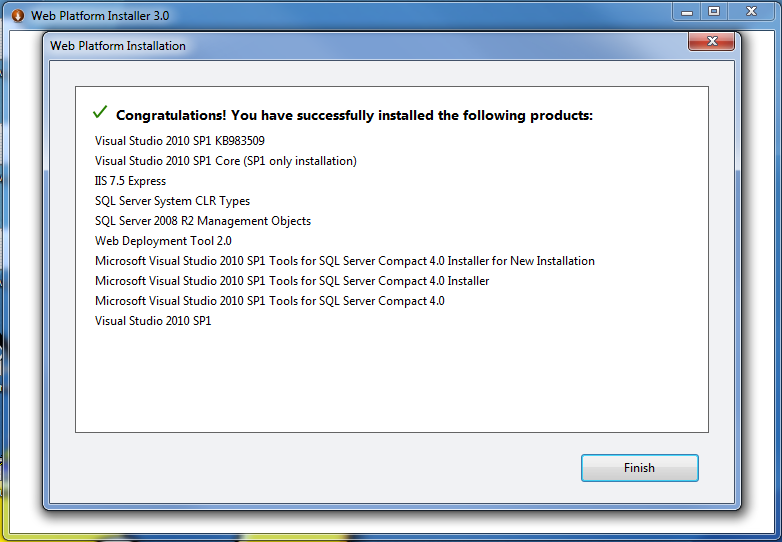
WebPI VS2010SP1 Completion
As you can see, a lot more than just the SP1 got installed. IIS 7.5 Express, SQL Server 2008 R2 Mgmt Objects, Web Deployment Tool 2.0 and some tooling to support SQL Server Compact Edition 4 (SQL CE 4) were added to my system. A most welcome feature as it keeps me from having to hunt them down. Good job guys!
 CPU Guru